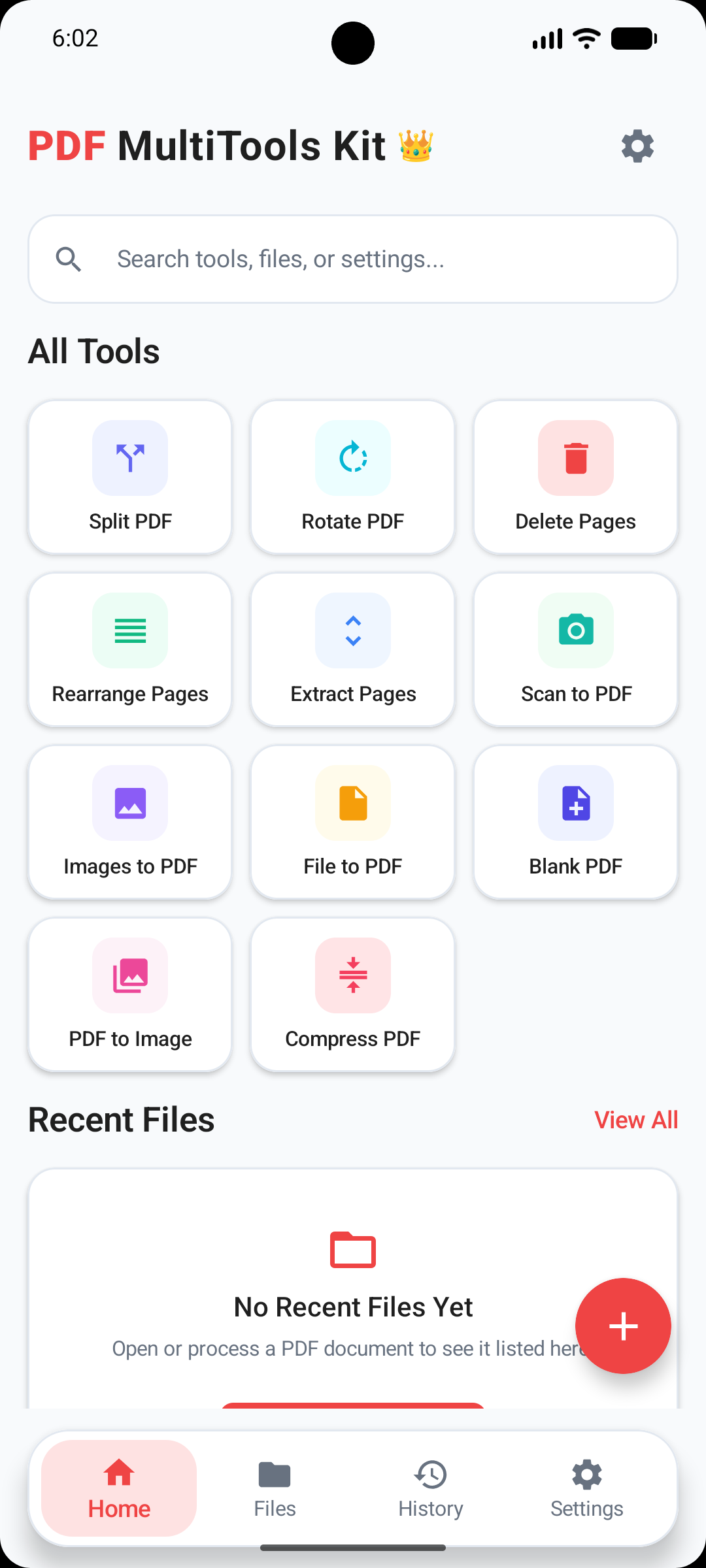
All PDF Tools Organized in One Command Center
PDF MultiTools Kit features a modern, clean user interface built on Google's Android Material 3 design system. Access all 12 PDF utility features directly from the primary grid without navigating deep nested menus.
Designed specifically for quick daily document workflows, the home screen includes instant real-time search, storage status indicators, and recent file activity history.
- Global Real-Time Search: Instantly filter across all 12 PDF tools, settings, and device documents in milliseconds.
- Material 3 Theme Engine: Seamless support for Dark Mode, Light Mode, and System Theme preferences.
- Recent Activity Timeline: Re-open, share, or manage your most recently processed PDF files with one tap.
- Zero Account Required: 100% free offline utility without forced logins, email signups, or subscription locks.
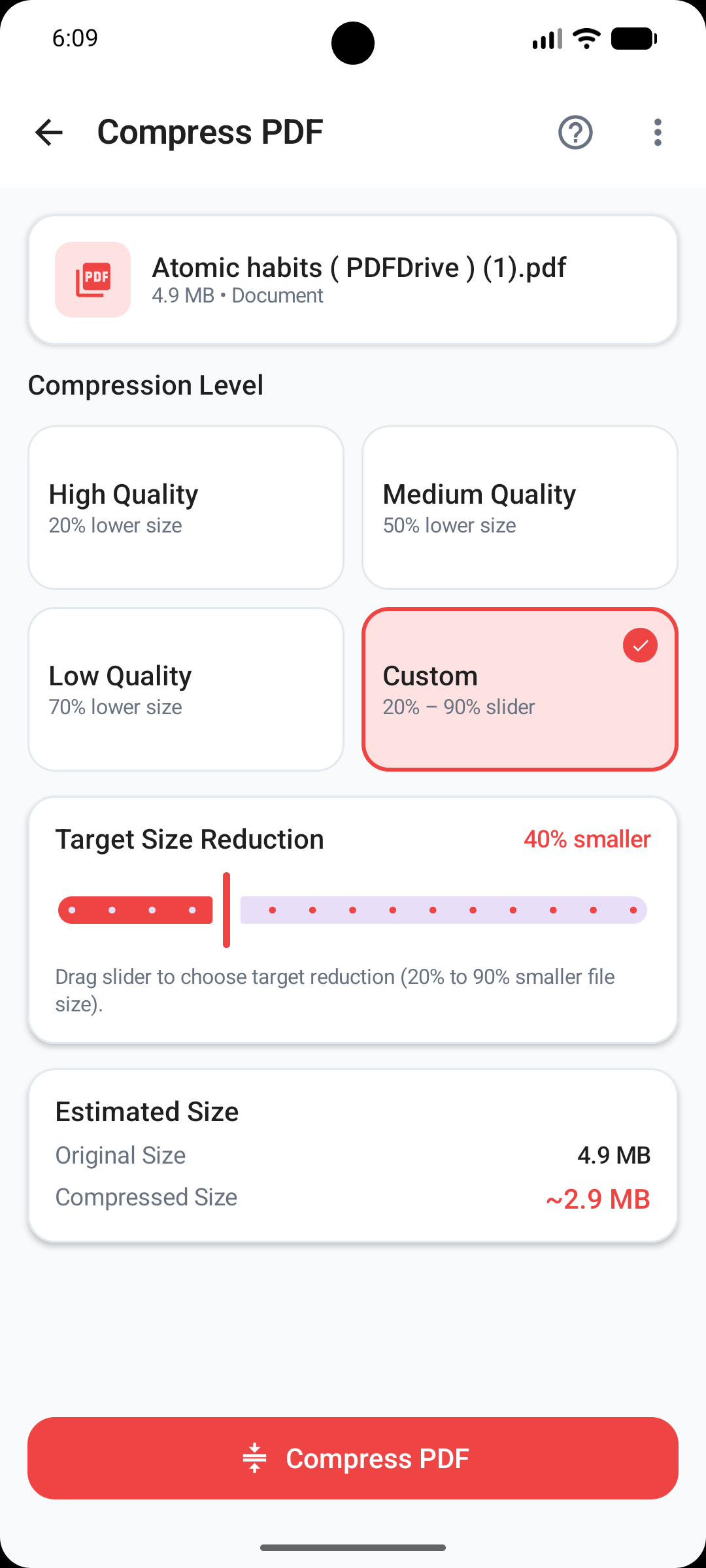
Smart Offline PDF Compression Engine
Shrink bloated PDF documents by up to 70% directly on your device CPU. Reduce file sizes for quick email attachments and messaging uploads while keeping text crystal clear.
Equipped with 4 customizable compression profiles and real-time DPI image downsampling algorithms tailored for low-bandwidth sharing.
- 4 Compression Levels: Choose from Maximum Quality, Balanced, Maximum Compression, or Custom Target DPI.
- Live Size Estimator: See precise before-and-after file sizes and calculated percentage reduction before saving.
- On-Device Image Downsampling: Compresses embedded JPEG/PNG page scans locally without server uploads.
- Fast Batch Engine: Compress multi-page reports and scanned contracts in seconds.
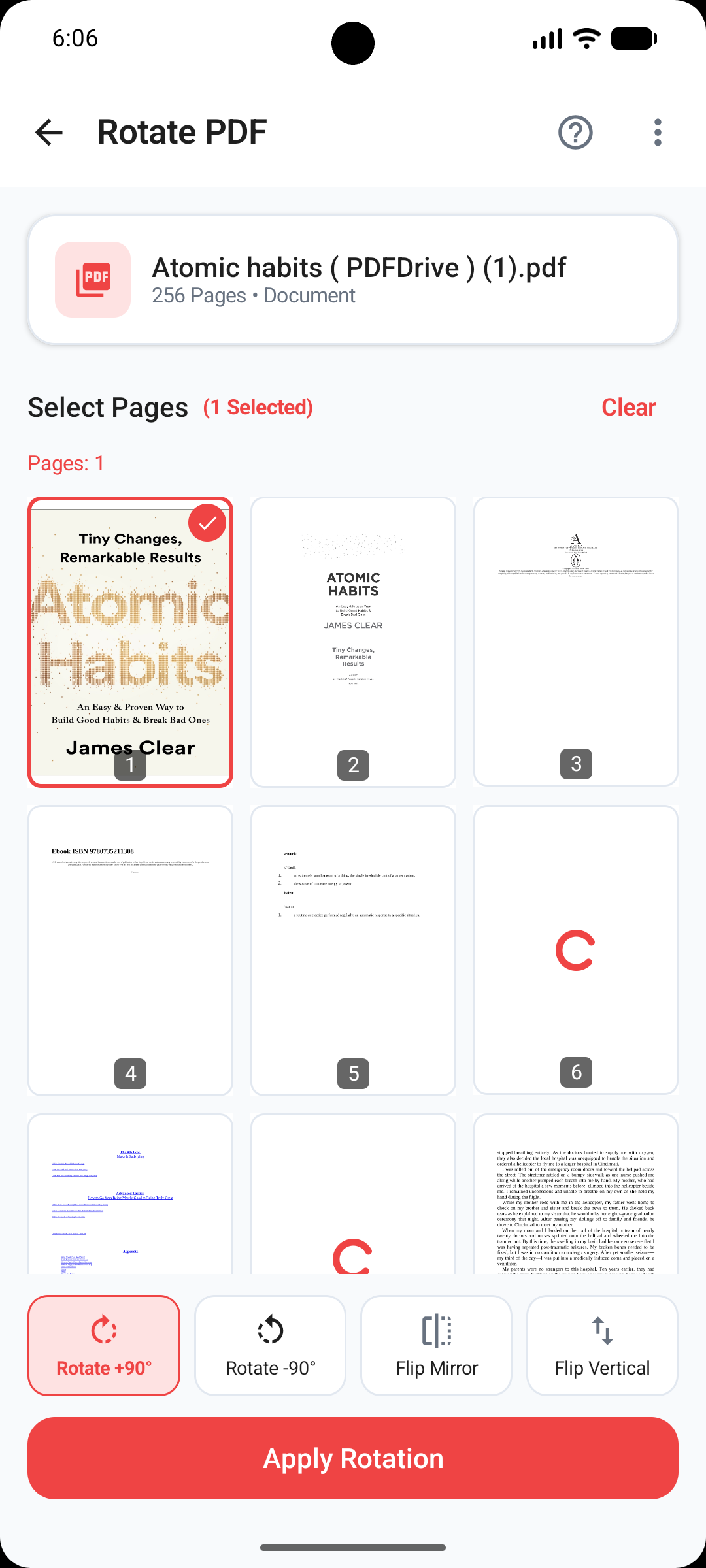
Precision Page Rotation & Orientation
Fix sideways scanned documents, inverted mobile photos, or landscape/portrait page orientation errors with individual page rotation controls.
Inspect high-resolution page thumbnails in an interactive grid to rotate specific pages or orient the entire document in one tap.
- Selective & Global Rotation: Rotate individual pages or all document pages simultaneously.
- Multi-Angle Angles: Supports 90°, 180°, and 270° clockwise and counter-clockwise rotations.
- Visual Thumbnail Grid: Clear page numbers and visual preview thumbnails for effortless identification.
- Lossless Vector Save: Preserves original searchable PDF text layers, fonts, and vector paths.
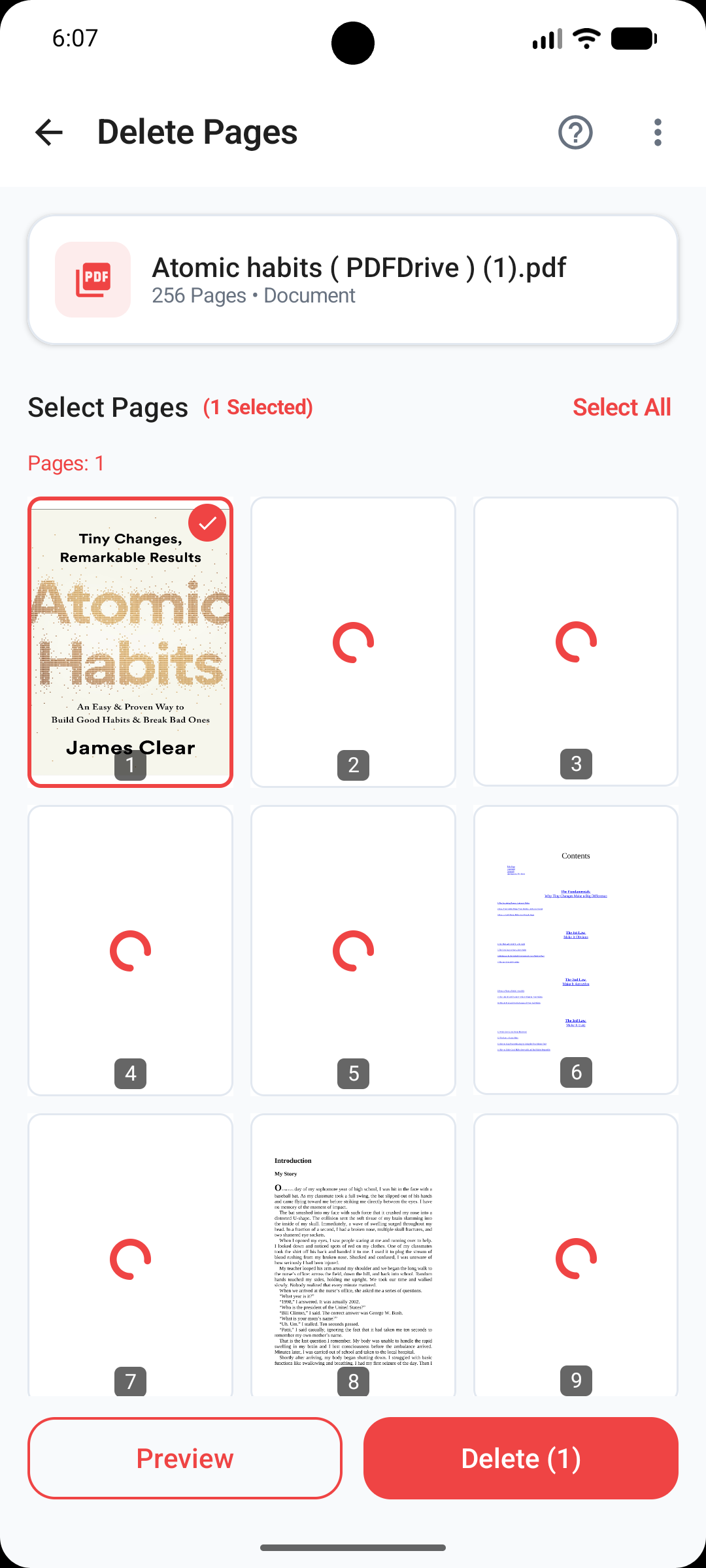
Selective Page Deletion & Removal
Purge unwanted blank pages, duplicate scanner sheets, cover pages, or confidential sections from any PDF file with multi-select precision.
Tap to select or deselect pages in an interactive visual gallery and generate a clean target document instantly.
- Interactive Selection Gallery: Tap page thumbnails to highlight sheets marked for removal.
- One-Tap Bulk Controls: Select All or Deselect All buttons for rapid multi-page handling.
- Safety Confirmation: Built-in safety prompts prevent accidental deletion of important document pages.
- Non-Destructive Export: Exports a new cleaned PDF file while keeping your original source file safe.
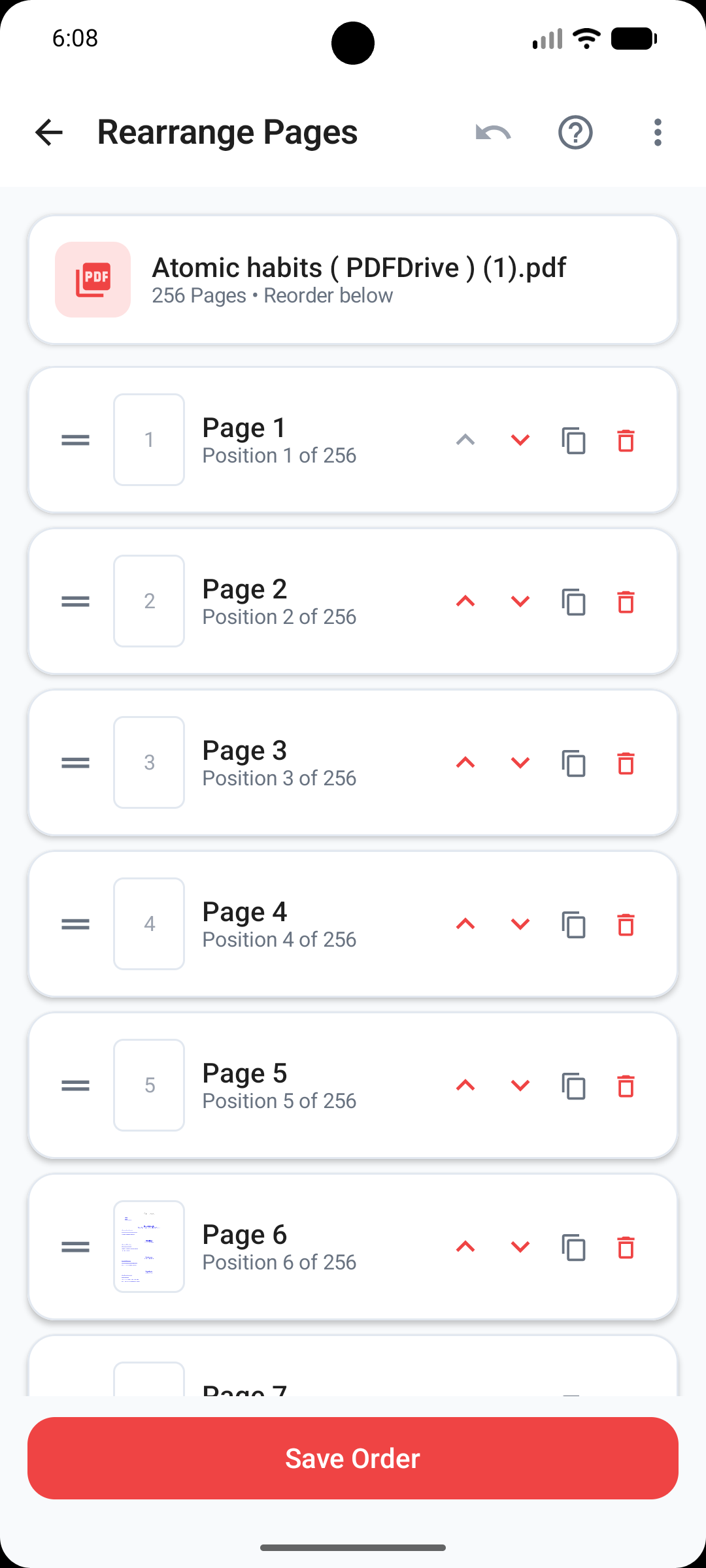
Visual Drag & Drop Page Reordering
Reorder and restructure document page flow intuitively by dragging thumbnail cards to their exact sequence position.
Ideal for re-organizing scanned book chapters, meeting slides, or inverted document attachments before sending to clients.
- Fluid Drag & Drop Interface: Touch and hold any page thumbnail to drag it smoothly across the page grid.
- Real-Time Renumbering: Page indices update automatically as you shift page positions around.
- Instant Undo & Reset: Revert unwanted page shifts instantly with one-tap undo support.
- Smooth Multi-Page Handling: Built to process large PDFs with dozens of pages without lag.
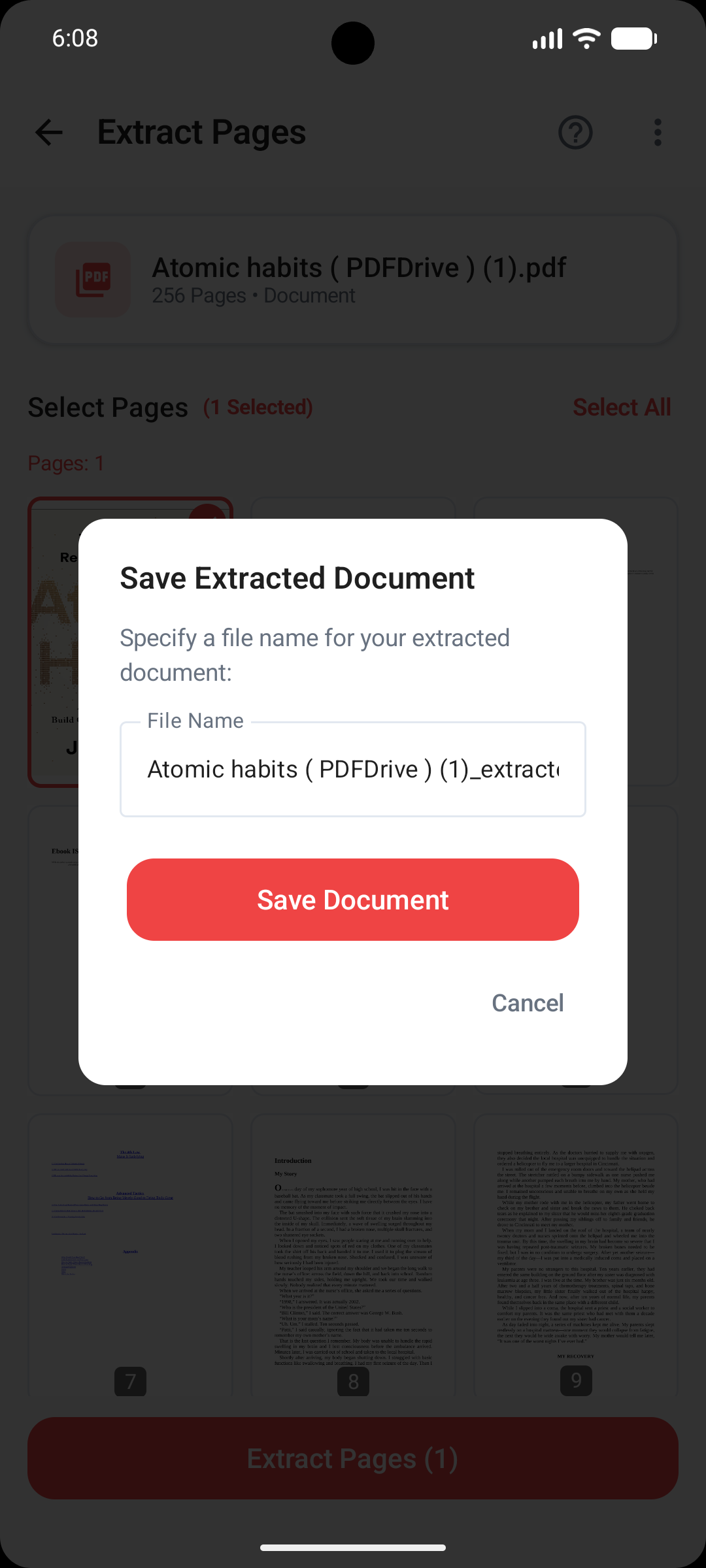
Extract & Export Custom Page Ranges
Isolate specific chapters, financial tables, receipts, or single sheets from large multi-page PDF documents and export them into a brand-new PDF file.
Select continuous page ranges or cherry-pick disjointed individual pages across the document to form a tailored summary PDF.
- Flexible Page Picker: Specify page ranges (e.g. 1-4, 7, 12-15) or tap visual thumbnails.
- Disjointed Extraction: Extract separate pages from different chapters into one unified file.
- High Fidelity Export: Retains 100% of embedded fonts, vector artwork, annotations, and text search layers.
- Instant Direct Share: Share extracted documents directly to WhatsApp, Gmail, Drive, or local storage.
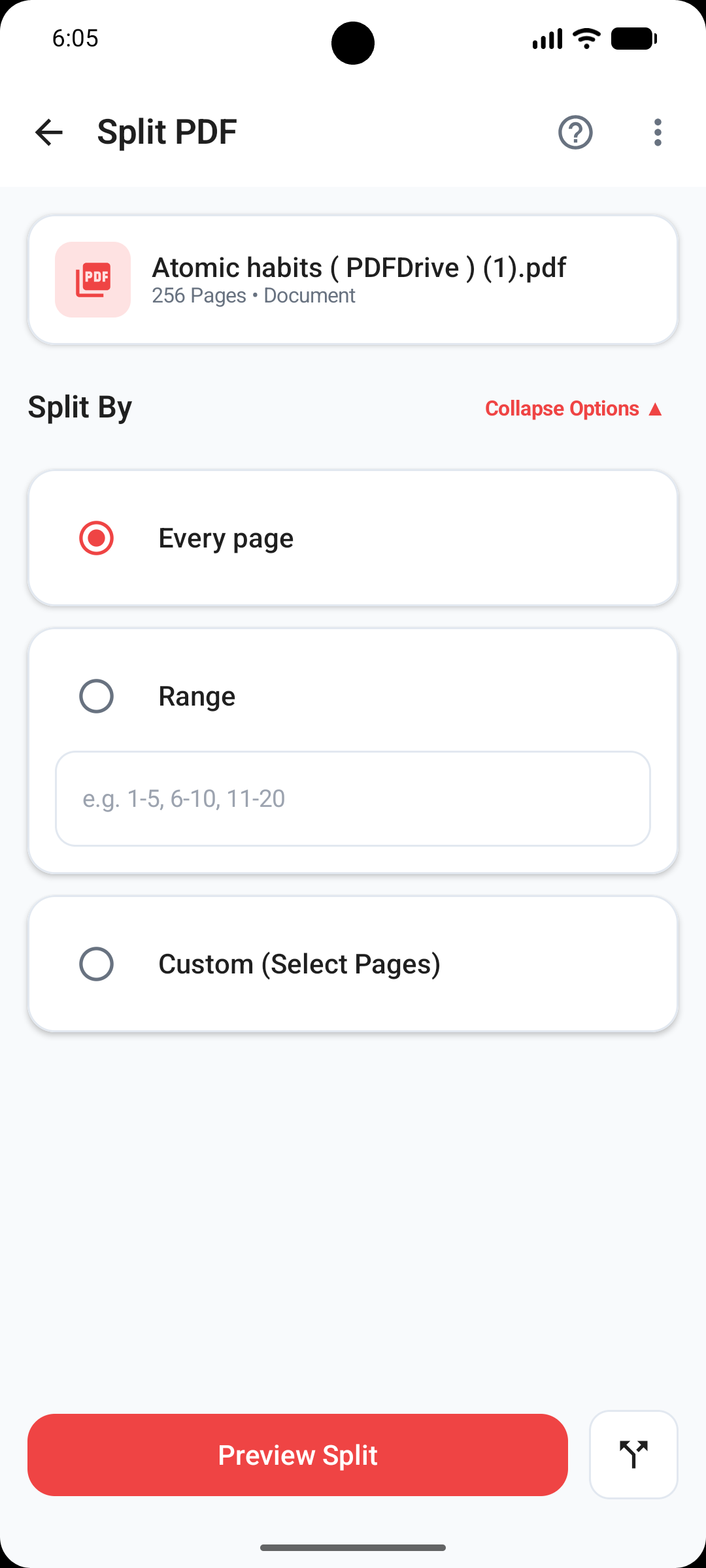
Flexible Multi-Mode PDF Splitting
Divide massive PDF files into smaller, manageable files using page range intervals, single-page splits, or custom page boundaries.
Automatically organizes split files into a dedicated subfolder on your device memory for effortless document archiving.
- Single Page Split Mode: Divide every page into its own individual 1-page PDF file.
- Custom Range Splitting: Define custom page ranges (e.g., Pages 1–5, Pages 6–10, Pages 11–20).
- Equal Interval Splitting: Split documents into equal chunks of X pages automatically.
- Organized Zip Export: Saves all split PDF parts neatly structured in device memory.
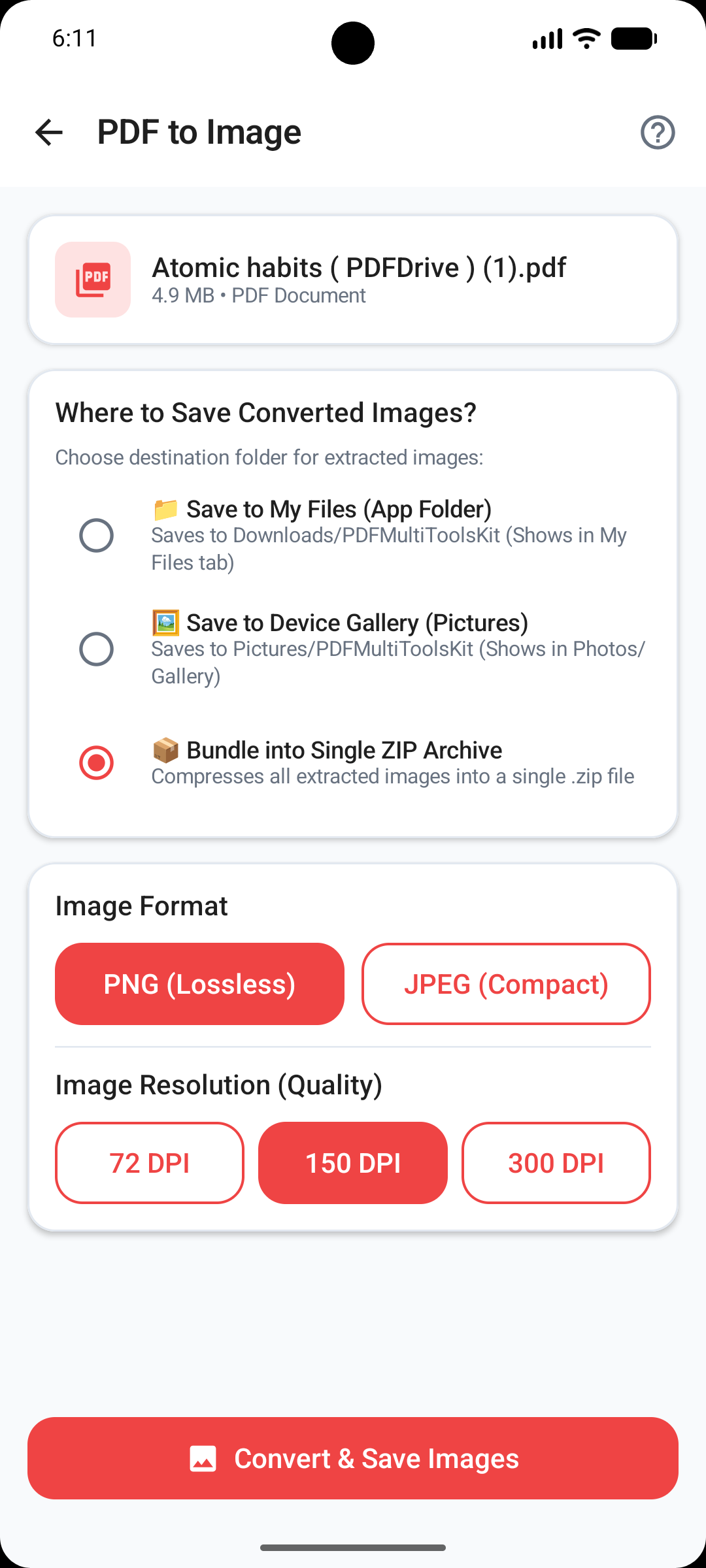
Render PDF Pages as High-Res Images
Convert PDF document pages into high-resolution PNG image files stored directly in your phone photo gallery for easy viewing and sharing.
Powered by Android's native PdfRenderer engine, delivering sharp 300 DPI vector-to-raster image conversion.
- Full HD Page Rendering: Converts vector PDF pages into crisp, high-definition PNG files.
- Page Range Selection: Convert all pages or select specific page numbers to turn into images.
- MediaStore Integration: Image files save directly to
Pictures/PDFMultiToolsKitin phone gallery. - Instant Image Sharing: Share converted page photos directly to messaging and social media apps.
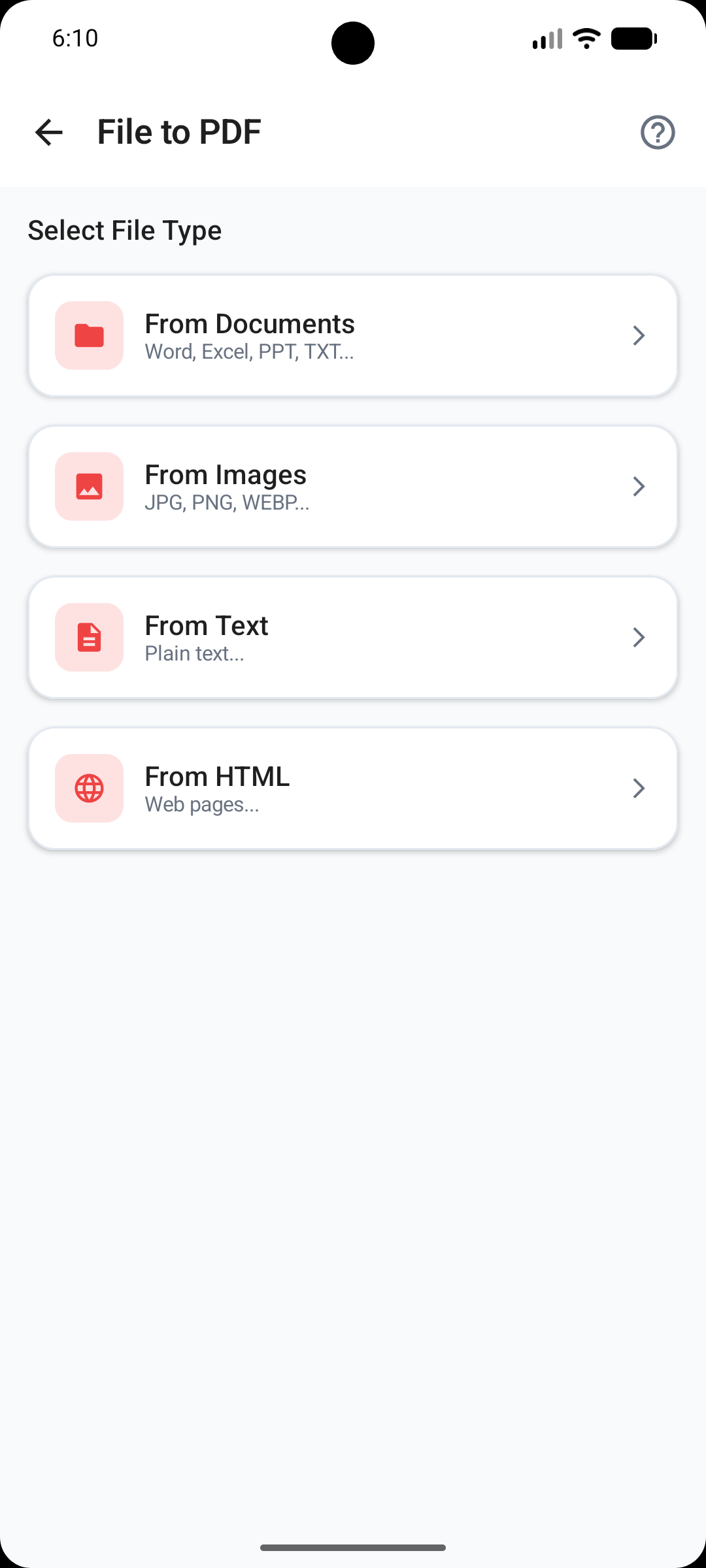
Convert Office Documents to Standard PDF
Convert Microsoft Word (DOCX), PowerPoint presentations (PPTX), and plain text files (TXT) into standardized PDF documents offline.
Process office attachments locally without transmitting sensitive corporate files to external cloud converters.
- Multi-Format Support: Offline conversion for Word (.docx), PowerPoint (.pptx), and Text (.txt) files.
- Layout & Font Preservation: Preserves original document typography, headers, margins, and formatting.
- Batch Converter: Select multiple office documents and convert them to PDF format in one tap.
- 100% Local Conversion: Performs conversion locally on device CPU for absolute data privacy.
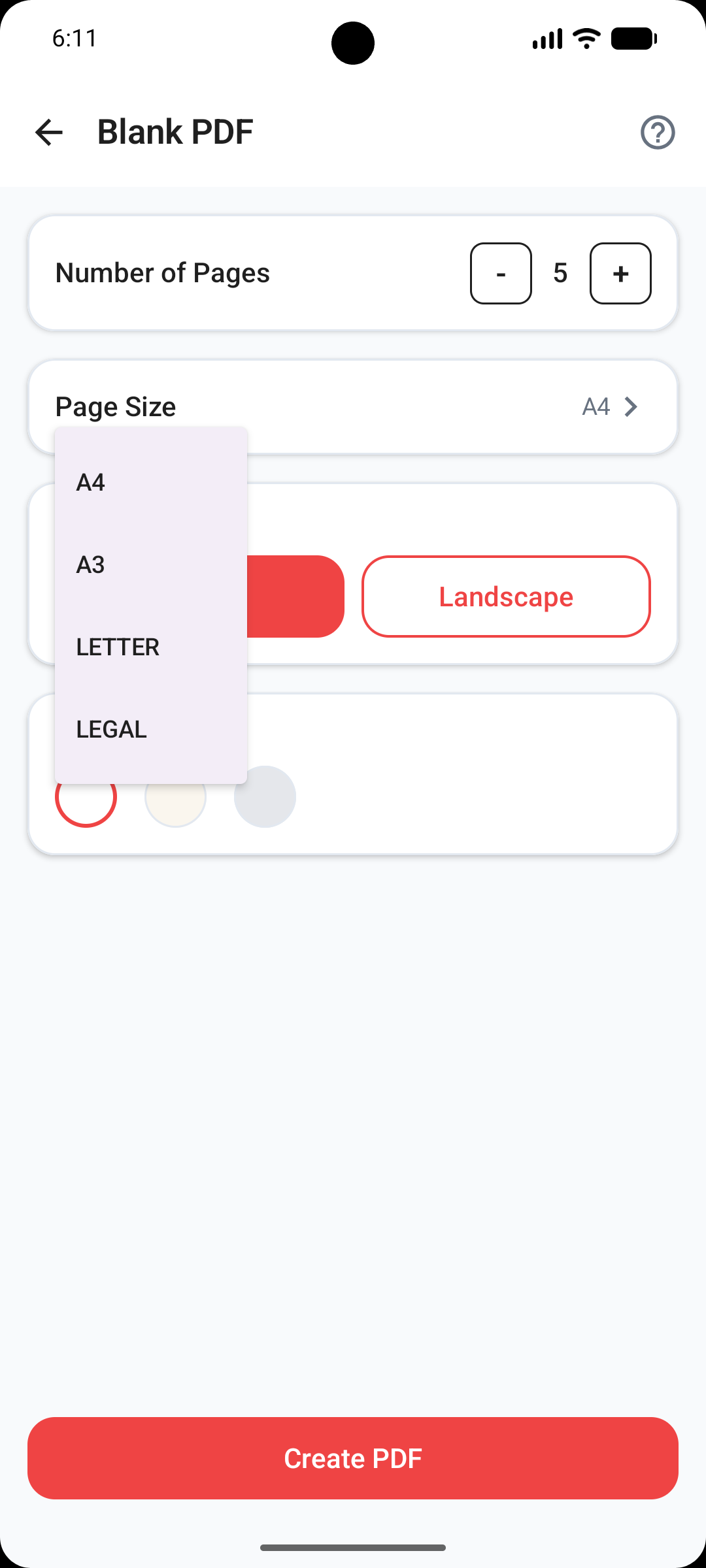
Generate Custom Blank & Lined PDFs
Create blank PDF documents tailored for digital note-taking, sketching, form printing, or tablet handwriting.
Choose from standard paper sizes, page orientation, background grid styles, and custom page counts up to 100 pages.
- Standard Paper Sizes: Full support for ISO A4, A3, US Letter, and Legal paper dimensions.
- Orientation Controls: Toggle between Portrait and Landscape page layouts.
- Paper Pattern Templates: Select Blank, College-Lined, Engineering Grid, or Dot-Matrix styles.
- Custom Page Count: Generate clean multi-page notebooks from 1 to 100 pages instantly.
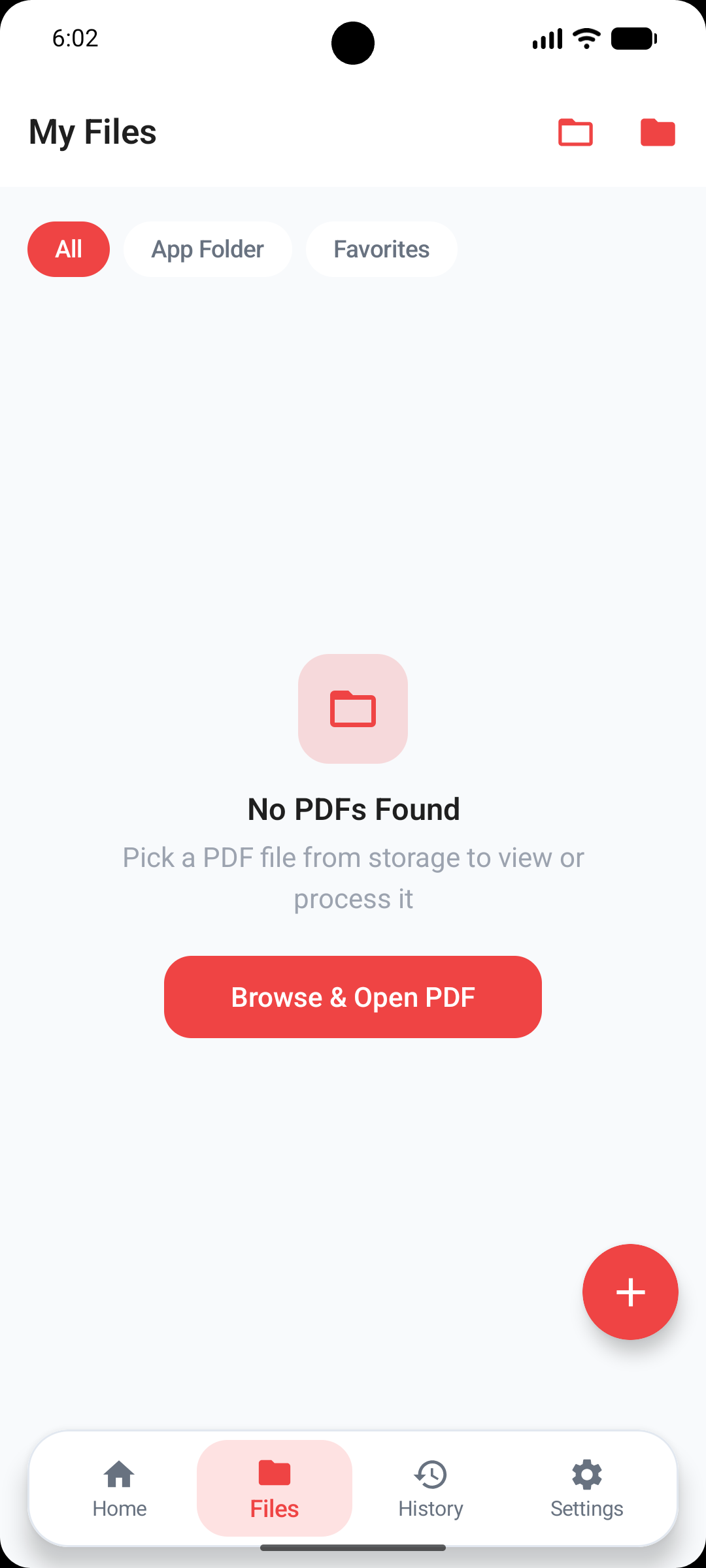
Fast Local MediaStore PDF Manager
Automatically index, browse, search, and manage all PDF documents stored on your internal device storage and SD card.
Leverages Android MediaStore API for instant file discovery without consuming battery or disk scanning delays.
- Instant Document Indexing: Automatically lists all device PDFs without manual folder searches.
- Advanced Filtering: Sort files by Name, File Size, or Date Modified in ascending/descending order.
- View Modes: Toggle between detailed list view with metadata and thumbnail grid view.
- File Operations: Rename, delete, or share PDF files directly within the integrated manager.
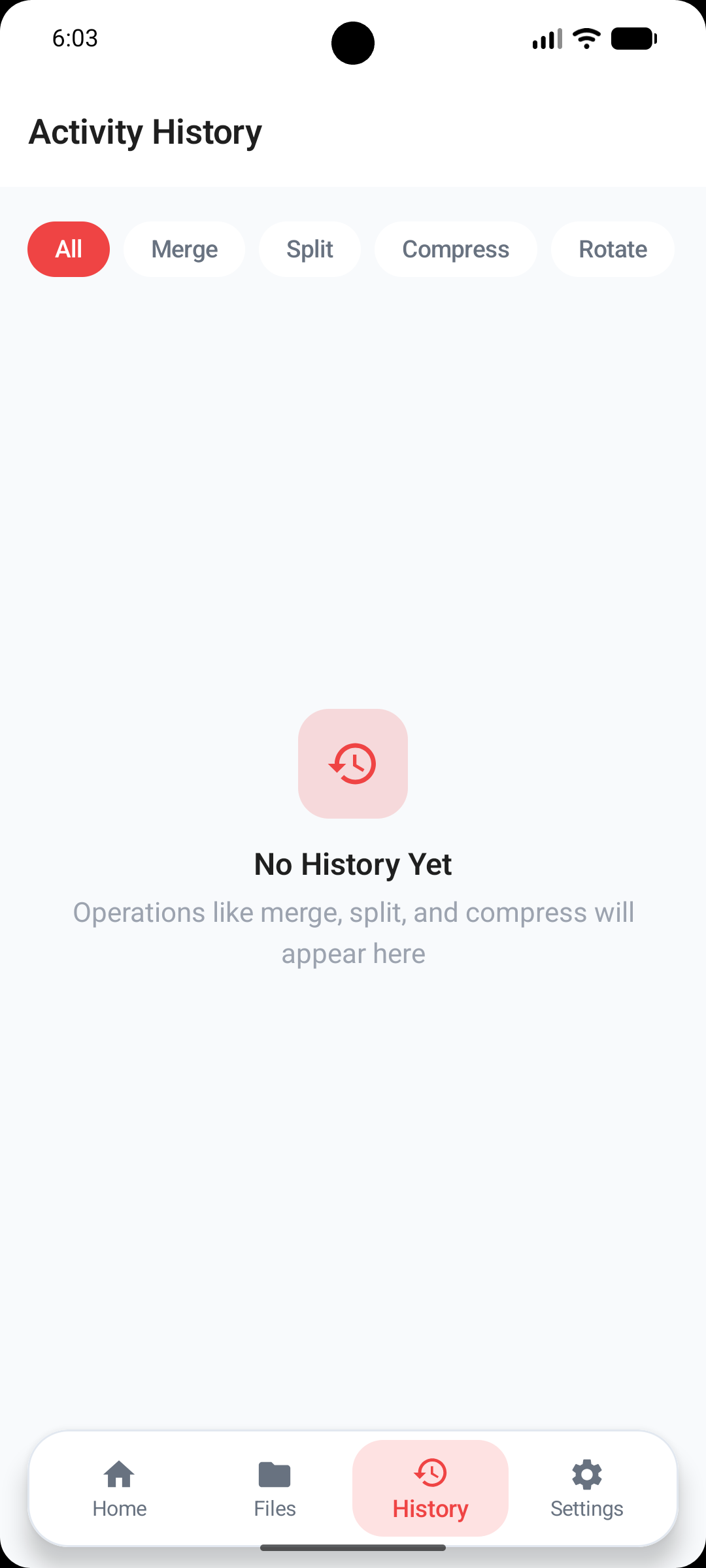
Operation History & Theme Settings
Track your past document processing jobs with an audit log timeline and customize your app experience with full dark mode styling.
Includes built-in storage maintenance utilities to clear temporary cache files and free up precious device memory.
- Task History Timeline: View a detailed log of all merged, split, and compressed files with timestamps.
- Category Filters: Filter operation logs by feature type (Merge, Split, Compress, Rotate).
- Dark Mode Engine: Full dark theme customization matching Android system accessibility settings.
- Storage Cache Cleaner: One-tap temporary cache purge to recover local phone storage space.